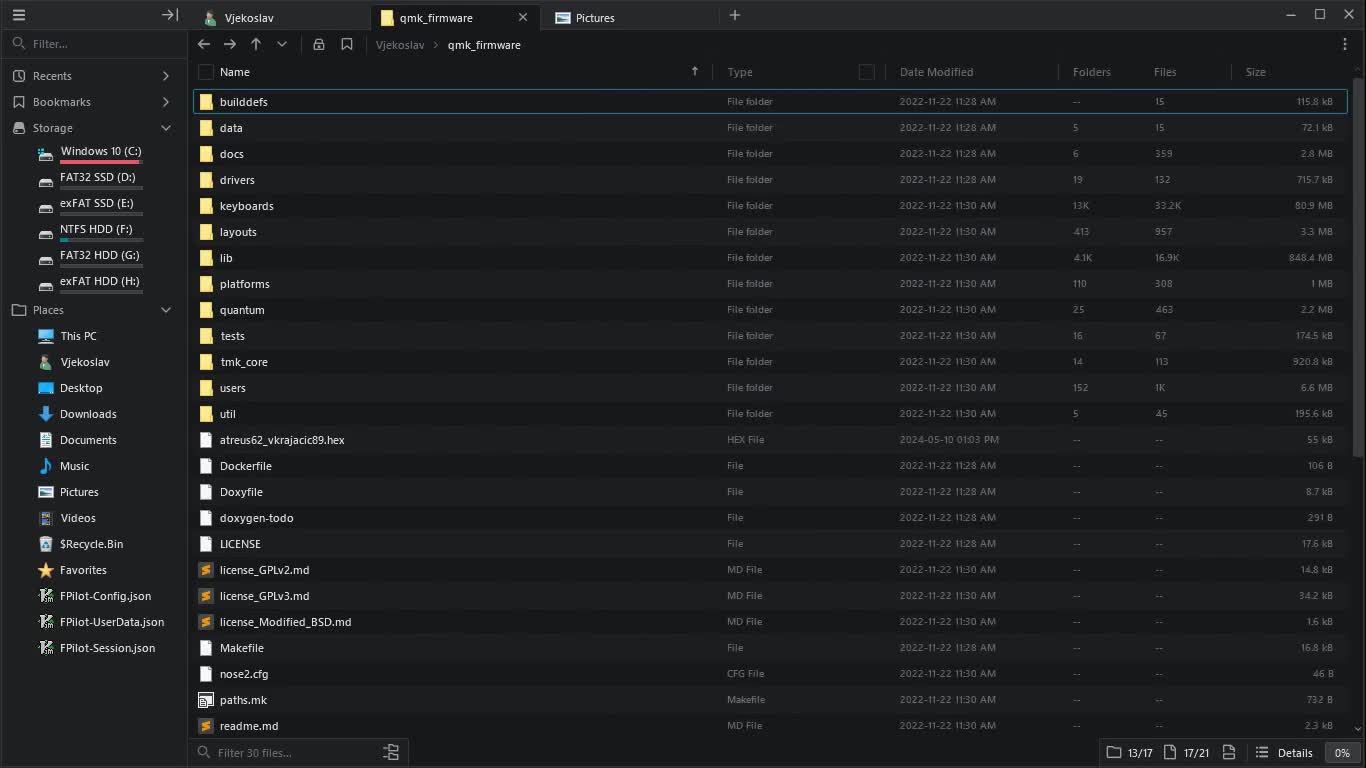
File Pilot is a file explorer built from scratch for light-speed performance, with a modern and robust interface.

About File Pilot


Manifesto

Engineered from first principles.

Fast

Fast isn't a feature. It's the baseline. From indexing and search to thumbnails, everything responds in a split second. There's no interface lag. Startup is immediate.

Modern

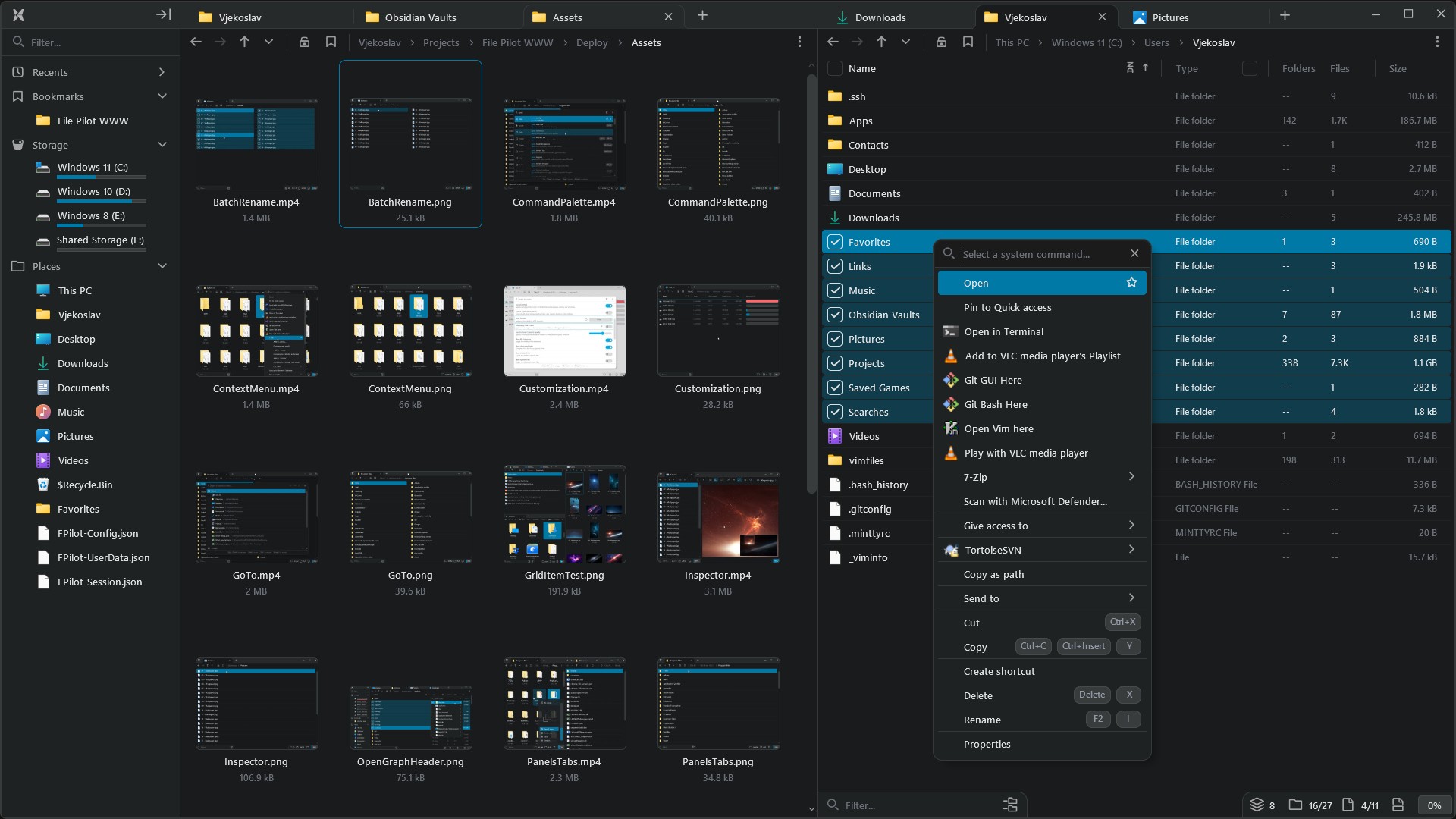
A clean, minimal and versatile interface built around your files. From panels and tabs to the inspector and command palette, every tool is accessible by mouse or keyboard.

Personal

Personalized with your colors, hotkeys, layouts and default actions. From fonts and spacing to animations, all grounded in a consistent design with strong defaults.

Standalone

A single small executable. No background services, hidden processes or system clutter. The installer is optional and built into the same file.

Yours

Perpetual access means no subscriptions, no accounts, and no internet dependency. You're never locked out. It's always yours.


Development

Full time development started in 2022. Originally codenamed Disk Voyager, it was written in C to stay as close to the OS and hardware as possible and to remain sustainable and stable in the long term. It also doesn't use external libraries, with a few small exceptions such as stb_sprintf.h.

This provides enormous flexibility and freedom when experimenting with new features, since everything can be tailored specifically to the needs of the program. It also often results in better performance and a smaller executable size due to less software bloat.

In that respect, a lot of the underlying technology has been developed alongside the program itself:

  • Platform layer (window support, file API, multithreading, input, ...)
  • Custom renderer (both D3D11 and OpenGL)
  • Custom UI framework
  • Memory primitives
  • Containers
  • UTF-8 strings
  • Math library

The current version targets 64-bit Windows 7 and above.

Read more
Filters

Recent Activity

Stress testing navigation through recently visited folders in &file-pilot

View original message on Discord

Drag & drop to organize tabs and panels. &file-pilot

View original message on Discord

Quick access sidebar support lands in &file-pilot

View original message on Discord

System wide Drag & Drop &file-pilot

  • Use standard modifiers to make actions copy, move, or create shortcuts.
  • Use the right mouse button to open a context menu with options.
  • Drag to other panels, subfolders, tabs, the recycle bin, header path, desktop, or apps.
View original message on Discord
  • New content zoom slider, displayed on demand.
  • Jump to specific zoom levels, such as details or columns.
  • Display zoom percentage in the footer.
    &file-pilot
View original message on Discord

Separating folders from files, toggling their visibility, combined with filtering. &file-pilot

View original message on Discord

Last update video for this year featuring proper UI and DPI scaling. It works nicely when switching monitors with different DPIs. &file-pilot

View original message on Discord

Rectangular selection with smooth mouse scrolling on an expanded Windows drive (approx. 1 million files). &file-pilot

View original message on Discord

Switch between folders and files. &file-pilot
Select everything, toggle folders on and off, and you'll have all your files selected.
Use two split panels, one for files and one for folders.

View original message on Discord

Thumbnails. &file-pilot 🗄️ 🎞️ 🗃️

View original message on Discord

Hundreds of thousands of new file entries arrive, and your scroll position remains fixed on your selection while still responding seamlessly to your scroll input. All movements in the video result from mouse scrolling and keyboard arrow actions. &file-pilot

View original message on Discord

Multiple selections + Clipboard == 🤝 in &file-pilot

View original message on Discord

Sort by size in &file-pilot includes directories contents, which is super handy!

View original message on Discord

I won't be showcasing huge features anymore before the alpha release, so I thought I'd share small feature I added today, "single-click to open". It mostly emulates Windows behaviour, short hover delay to select and it works nicely with multiple selections. I also integrated it into GoTo and commands window. &file-pilot

View original message on Discord

After few months of hard work and rewriting UI system from scratch, finally something to show 🙂 &file-pilot
https://youtu.be/yxRSu7mVn7A

View original message on Discord

Tightening UI renderer. Drop shadows for popups (left pic). Smoothed edges (right pic). &file-pilot

View original message on Discord

As the end of the year approaches, I thought it would be nice to do a quick review of 2022 in the form of a short timelapse video. &file-pilot
https://youtu.be/P9v0PvKqIiQ

View original message on Discord

Selection Batch Renaming &file-pilot

  • Standard text field move/extend/delete hotkeys
    • Left, right, home, end, by word
  • Uppercase / Lowercase
  • Special insertions: incremental id, current date, file create date, file modify date
  • Copy / Cut / Paste
  • Undo / Redo
  • Works on huge selections
  • Lighting fast, both edit and rename

https://www.youtube.com/watch?v=v_9Mvzn6vm4

View original message on Discord

&file-pilot
- Tabs
- Create, delete, change tabs with mouse, command palette or hotkeys
- Open in new tab
- Stored in sessions and layouts
- Future support: tab rearrangement, tab into window
- Multiple selection with mouse and hotkeys
- Copy / Paste / Delete
- Results window
- Auto update stats/files across all panels
- Put to background tab
- Drag & drop mouse support
- Terminate
- Tech
- Custom HashMap (stb like with support for length base strings and arena allocation)
- Heavier use of scratch arenas
- Moved to unsigned counts/lengths
- IMGUI interactions rework

YT: https://youtu.be/VtQfgcFYnug

View original message on Discord

&file-pilot
- Drive listing
- Works with expansion too. You can expand all drives together
- Separate goto window for recents/bookmarks/common system paths
- Support for automatic storing of current session (window size, panel layout, selection etc..)
- Support for saving/loading layouts (named sessions)
- File preview in separate panel (support for images now, planned: text, audio, video...)
- Support for ignored folders when searching (e.g. .git .svn)
- Support for multiple keybindings for same action
- Mapped basic vim movement actions (not interfering with regular keybindings)
- Open cmd & file explorer commands
- Display options for:
- Show/hide file extensions
- Show/hide hidden files
- Show/hide system files
- Miscellaneous
- Switched to length based strings struct String { char *value; int length; }
- Removed Allocator wrapper abstraction and using Arenas / Pools directly
- Moved away completely from visual studio, using remedybg + portable MSVC

View original message on Discord

&file-pilot
- Proper redrawing on window resize
- Support for different thumbnail sizes
- Using slider, but still experimenting on how to improve Windows default UX
- Round corners everywhere ^^

View original message on Discord
  • After a few weeks of break, development on &file-pilot continues:
    • Moved to json format for settings/keybindings
      • Option to generate default config file
      • Hot reloadable
    • Colors and other similar options defined in settings
    • Moved from hardcoded keybindings to global keybinding system controlled by settings
    • Better symbol support for keybindings
      • A-Z, 0-9
      • Function keys
      • ` - = \ ; ' , . /
      • Left, Up, Right, Down, Page up, Page down, End, Home
      • Tab, Enter, Escape, Space, Backspace, Delete
      • Numpad keys
    • Chained keybindings, e.g. ["Ctrl+W", "Ctrl+H"]
    • Support for Unicode text input (e.g. for file filtering)
    • Command window for fast access
      • Displaying command's keybinding assigned through json
      • Commands can be filtered by name and/or keybinding
      • Commands visible/hidden, enabled/disabled based on current context
    • Asynchronous sorting, interchangeable with filtering
    • Added some UI animation juice (camera, selection, scrolling, show/hide popups etc.)
      • Thanks to Ryan for discussion on formula
    • Separated all program UI strings into separate localization file
      • Embedded into executable at build time to keep it as single exe
  • This video was brought to you by amazing software (**wcap **+ handbrake)
View original message on Discord

&file-pilot

  • multiple panels
  • vertical/horizontal split
  • prev/next, left/right/up/down navigation
  • resize support
  • support for stopping background threads (needed for fast opening/closing panels)
View original message on Discord

&file-pilot - modern and fast file explorer. I've been working on it in my spare time. Probably gonna commit on it fully now. It's written in C and has custom OpenGL renderer. Its already blazingly fast. It expands my C drive with 200 GBs in less than 2 seconds and supports fzf filtering on the expanded content. Searching and filtering is multithreaded. There are tons of features I wanna experiment with in order to improve UX of traditional explorers (gonna share those in the future). Atm my primary focus is still on good performance.

View original message on Discord